
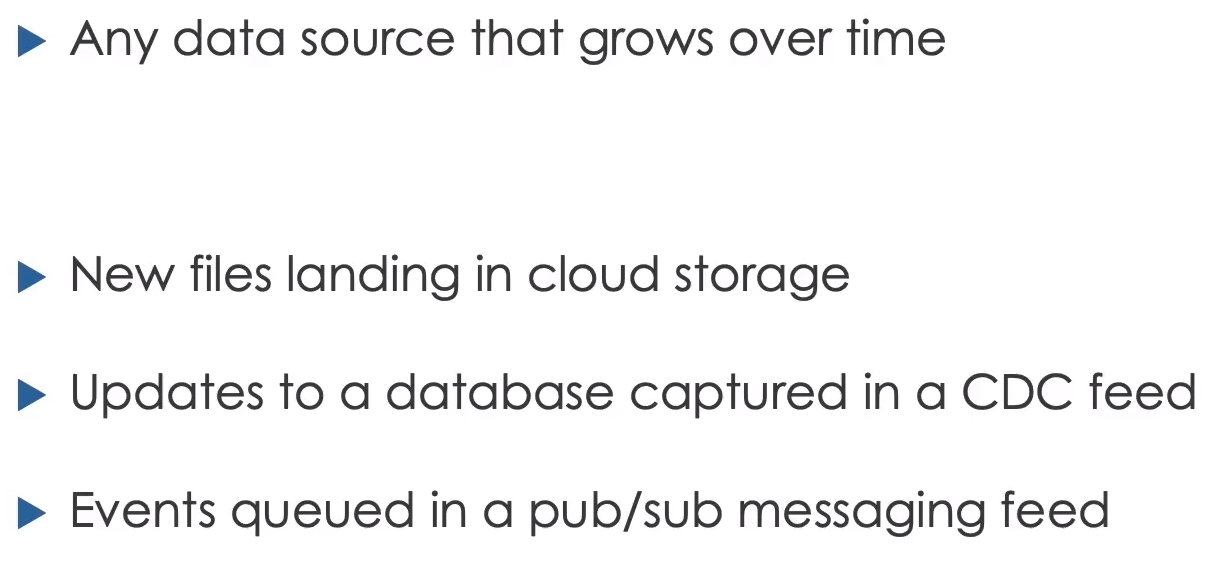
A data stream is any data source that grows over time. It may be a directory receiving files, a Kafka topic, a CDC feed, or a Delta table receiving new commits.
Spark Structured Streaming processes that changing source incrementally using DataFrame and SQL operations.
 Structured Streaming represents an evolving source as an unbounded table
Traditional Reprocessing vs Incremental Processing
A batch pipeline can reread the complete dataset whenever new data arrives. This is simple but becomes wasteful as history grows.
Incremental processing tracks progress and handles only new input. It reduces repeated work and supports lower latency.
The Unbounded Table Model
Structured Streaming treats a stream as an unbounded table. Every arriving event becomes another logical row. The engine evaluates the query repeatedly in micro-batches and writes changes to a sink.
The same transformation concepts apply to static and streaming DataFrames, but not every operation is valid for an infinite input.
Reading a Stream
1
2
3
4
5
orders_stream = (
    spark.readStream
    .format("delta")
    .table("orders_source")
)
For files with a fixed schema:
1
2
3
4
5
6
orders_stream = (
    spark.readStream
    .schema(order_schema)
    .format("parquet")
    .load("/Volumes/main/bookstore/incoming/orders")
)
Defining a streaming DataFrame does not start processing. Processing begins when a streaming action such as writeStream or a streaming display is started.
Writing a Stream
1
2
3
4
5
6
7
8
9
10
query = (
    orders_stream.writeStream
    .format("delta")
    .option(
        "checkpointLocation",
        "/Volumes/main/bookstore/checkpoints/orders_bronze"
    )
    .outputMode("append")
    .toTable("orders_bronze")
)
Checkpoints
A checkpoint stores:
- Source offsets
- Query progress
- Commit information
- Stateful operator data where required
This allows a failed query to resume.
Every independent streaming write needs a unique checkpoint. Reusing one checkpoint for different queries can produce incorrect progress or failure.
Trigger Modes
Default
Runs micro-batches as quickly as the system can process them.
Fixed Interval
1
.trigger(processingTime="2 minutes")
Checks for new data at the configured interval.
Available Now
1
.trigger(availableNow=True)
Processes all currently available data in one or more micro-batches and then stops. This is well suited to scheduled incremental jobs.
The older once trigger processes available data in a single batch, but availableNow is generally more scalable.
Output Modes
- Append writes new finalized rows.
- Update writes result rows changed since the previous trigger.
- Complete rewrites the complete result for supported aggregations.
The valid mode depends on the query. Complete mode is commonly used for an aggregate gold result, while append mode fits immutable bronze ingestion.
Exactly-Once Semantics
Structured Streaming uses repeatable source offsets, checkpoints, write-ahead information, and compatible sinks to provide strong guarantees.
End-to-end exactly-once behavior requires:
- A replayable source
- Deterministic processing where possible
- A sink that handles retries idempotently
- Careful handling of external side effects
Writing to an external API in foreachBatch does not become exactly-once automatically.
Streaming Limitations
An unbounded table has no final last row, so some operations need additional information or are unsupported.
Examples requiring care include:
- Global sorting
- Deduplication without a bounded state strategy
- Arbitrary stream-stream joins
- Aggregations without event-time bounds
- Reading a table as a stream after incompatible updates
Advanced stateful processing uses event time, windows, and watermarks to control how long Spark retains state.
Windowing and Watermarks
Window event-time data:
1
2
3
4
5
6
7
8
from pyspark.sql import functions as F

counts = (
    events
    .withWatermark("event_time", "10 minutes")
    .groupBy(F.window("event_time", "5 minutes"))
    .count()
)
The watermark tells Spark how late data may arrive before old state can be removed. It is a state-management boundary, not a guarantee that every late record is accepted.
Auto Loader
Auto Loader incrementally ingests files using cloudFiles:
1
2
3
4
5
6
7
8
9
10
orders_raw = (
    spark.readStream
    .format("cloudFiles")
    .option("cloudFiles.format", "parquet")
    .option(
        "cloudFiles.schemaLocation",
        "/Volumes/main/bookstore/schemas/orders"
    )
    .load("/Volumes/main/bookstore/incoming/orders")
)
Auto Loader can scale to very large file counts and tracks discovered files efficiently.
Schema Inference and Evolution
Auto Loader can infer a schema and store it at cloudFiles.schemaLocation. Production pipelines should explicitly decide:
- Whether new columns are allowed
- Whether types may change
- Where malformed data goes
- Whether schema changes stop the pipeline
Unexpected fields can be captured in a rescued-data column when configured, allowing the valid portion of a record to continue through ingestion while preserving unparsed content for analysis.
Auto Loader with SQL
Declarative SQL pipelines can use cloud_files:
1
2
3
4
5
SELECT *
FROM cloud_files(
  '/Volumes/main/bookstore/incoming/orders',
  'parquet'
);
The pipeline manages incremental progress and table dependencies.
Medallion Architecture
The multi-hop, or medallion, architecture divides data into bronze, silver, and gold layers.
Bronze
Bronze preserves source data and ingestion metadata:
1
2
3
4
5
bronze = (
    orders_raw
    .withColumn("arrival_time", F.current_timestamp())
    .withColumn("source_file", F.input_file_name())
)
Write it with a dedicated checkpoint.
Silver
Silver validates and enriches data:
1
2
3
4
5
6
7
8
9
10
11
12
SELECT
  o.order_id,
  o.customer_id,
  c.profile:first_name::STRING AS first_name,
  c.profile:last_name::STRING AS last_name,
  CAST(from_unixtime(o.order_timestamp) AS TIMESTAMP) AS order_timestamp,
  o.quantity,
  o.books
FROM orders_bronze_stream o
INNER JOIN customers_lookup c
  ON o.customer_id = c.customer_id
WHERE o.quantity > 0;
This is a stream-static join: streaming orders are enriched with a static customer lookup.
Gold
Gold publishes business aggregates:
1
2
3
4
5
6
7
8
9
10
11
12
SELECT
  customer_id,
  first_name,
  last_name,
  date_trunc('DAY', order_timestamp) AS order_date,
  sum(quantity) AS books_count
FROM orders_silver_stream
GROUP BY
  customer_id,
  first_name,
  last_name,
  date_trunc('DAY', order_timestamp);
The course lab writes this aggregate in complete mode using availableNow.
Hands-On Flow
- Copy the bookstore dataset.
- Start with three order files containing 1,000 rows each.
- Read them through Auto Loader.
- Add arrival time and source filename.
- Write 3,000 bronze rows.
- Land another file and confirm the count becomes 4,000.
- Build a static customer lookup.
- Read bronze as a stream.
- Join, clean, and write silver.
- Land another file and confirm 5,000 silver rows.
- Read silver as a stream.
- Aggregate daily books per customer into gold.
- Use
availableNowso the gold update stops after current data is processed. - Stop any continuously active streams at the end of the lab.
Operational Guidance
- Keep each checkpoint unique and durable.
- Track source file and ingestion time.
- Monitor batch duration and processing rate.
- Test restart behavior.
- Set a schema-change policy.
- Bound state with watermarks when needed.
- Make external writes idempotent.
- Do not delete checkpoints merely to make a failed stream start.
Source Notes
Based on my complete Notion module: 4. Incremental Data Processing.